Common ACH Return Codes & What They Mean for Your Payment Processing
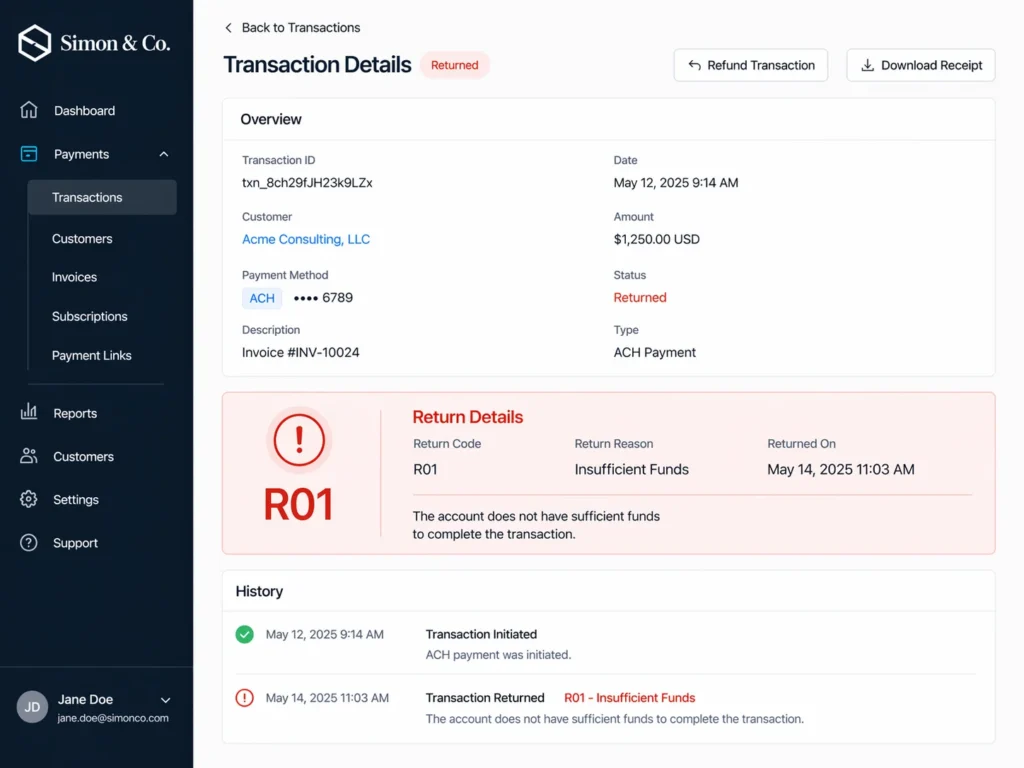
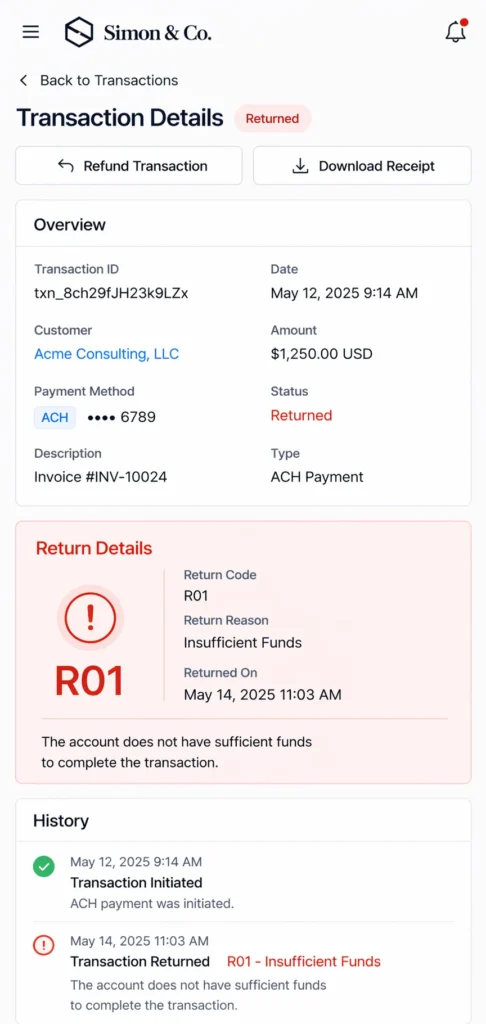
ACH payments operate differently than credit cards. They move through bank-to-bank systems, follow different rules, and often take longer to process, sometimes taking up to three business days to deposit. When something goes wrong, the feedback isn’t always clear. Instead of a detailed explanation, you receive an ominous return code, but these codes point to specific issues.
ACH return codes are defined and standardized by Nacha, the governing body that sets the rules for ACH network transactions. Understanding them can help you resolve payment issues faster and reduce disruption in your day-to-day operations. The following chart details the most common return codes you may see in your operations.
Nacha ACH Return Codes
| Return Code | Explanation | Return Code | Explanation |
|---|---|---|---|
| R01 – Insufficient Funds | The account does not have enough available funds to complete the transaction. Retrying after a short delay often works, but repeated failures may require confirming payment timing with the customer. | R02 – Account Closed | The account used for the transaction is no longer active. You’ll need updated banking information before attempting another payment. |
| R03 – Unable to Locate Account | The account details do not match any account at the receiving bank. This is often caused by incorrect or outdated information and should be verified before retrying. | R04 – Invalid Account Number | The account number provided is not valid. Confirm the full number with the customer before resubmitting the transaction. |
| R05 – Unauthorized Debit | A consumer account was debited using a corporate SEC code, which is not allowed. Review how the transaction was set up before attempting again. | R06 – Returned per ODFI Request | The originating bank requested the return of the transaction. Review the original payment details before resubmitting. |
| R07 – Authorization Revoked | The customer previously approved the payment but has since withdrawn authorization. Do not retry without obtaining new approval. | R08 – Payment Stopped | The customer has placed a stop payment on the transaction. Confirm with them before attempting another debit. |
| R09 – Uncollected Funds | Funds are present but not yet available for withdrawal. Retrying after a short delay usually resolves the issue. | R10 – Unauthorized / Improper Transaction | The customer has reported the transaction as unauthorized or incorrect. Review authorization and transaction details before proceeding. |
| R11 – Check Truncation Entry Return | This return occurs when there is an issue with a check converted into an ACH transaction. Review the original check and transaction details before attempting again. | R13 – Invalid Routing Number | The routing number is incorrect or no longer valid. Confirm updated bank details before retrying the transaction. |
| R16 – Account Frozen / OFAC | The account is restricted and cannot process the transaction. The customer must work with their bank before any further attempts can be made. | R20 – Non-Transaction Account | The account cannot accept ACH debits. Use a compatible account, such as a standard checking account, to complete the payment. |
| R23 – Credit Entry Refused by Receiver | The receiving account has rejected the credit entry. Confirm account preferences or restrictions before attempting another transaction. | R29 – Corporate Customer Not Authorized | A business account holder has disputed the transaction as unauthorized. Review authorization and obtain proper approval before retrying. |
| Return Code | Explanation |
|---|---|
| R01 – Insufficient Funds | The account does not have enough available funds to complete the transaction. Retrying after a short delay often works, but repeated failures may require confirming payment timing with the customer. |
| R02 – Account Closed | The account used for the transaction is no longer active. You’ll need updated banking information before attempting another payment. |
| R03 – Unable to Locate Account | The account details do not match any account at the receiving bank. This is often caused by incorrect or outdated information and should be verified before retrying. |
| R04 – Invalid Account Number | The account number provided is not valid. Confirm the full number with the customer before resubmitting the transaction. |
| R05 – Unauthorized Debit | A consumer account was debited using a corporate SEC code, which is not allowed. Review how the transaction was set up before attempting again. |
| R06 – Returned per ODFI Request | The originating bank requested the return of the transaction. Review the original payment details before resubmitting. |
| R07 – Authorization Revoked | The customer previously approved the payment but has since withdrawn authorization. Do not retry without obtaining new approval. |
| R08 – Payment Stopped | The customer has placed a stop payment on the transaction. Confirm with them before attempting another debit. |
| R09 – Uncollected Funds | Funds are present but not yet available for withdrawal. Retrying after a short delay usually resolves the issue. |
| R10 – Unauthorized / Improper Transaction | The customer has reported the transaction as unauthorized or incorrect. Review authorization and transaction details before proceeding. |
| R11 – Check Truncation Entry Return | This return occurs when there is an issue with a check converted into an ACH transaction. Review the original check and transaction details before attempting again. |
| R13 – Invalid Routing Number | The routing number is incorrect or no longer valid. Confirm updated bank details before retrying the transaction. |
| R16 – Account Frozen / OFAC | The account is restricted and cannot process the transaction. The customer must work with their bank before any further attempts can be made. |
| R20 – Non-Transaction Account | The account cannot accept ACH debits. Use a compatible account, such as a standard checking account, to complete the payment. |
| R23 – Credit Entry Refused by Receiver | The receiving account has rejected the credit entry. Confirm account preferences or restrictions before attempting another transaction. |
| R29 – Corporate Customer Not Authorized | A business account holder has disputed the transaction as unauthorized. Review authorization and obtain proper approval before retrying. |
Download a PDF of this chart for your own use
What to Do When You See an ACH Return Code
Seeing a return code can be frustrating, especially when it’s not immediately clear what caused the issue. The key is to respond based on the type of return, rather than retrying the same transaction right away.
- Identify the type of issue. Determine whether the code points to funds, account details, authorization, or a restriction.
- Avoid immediate retries. Some returns — especially authorization or compliance-related ones — require action before resubmitting. Check your virtual terminal for return details first, then resubmit once the issue is resolved.
- Verify details with the customer. Confirm account and routing information if there’s any chance of incorrect or outdated data.
- Take the appropriate next step. This may mean retrying later, obtaining new authorization, or using a different payment method.
- Watch for repeat codes. If the same issue continues, review how the payment was set up to prevent ongoing failures.
Over time, recognizing these patterns can help reduce disruptions and keep your payment process running more smoothly.
Frequently Asked Questions
What is the most common ACH return code?
R01 (Insufficient Funds) is one of the most common return codes. It typically means the account balance wasn’t enough at the time of the transaction, often due to timing rather than a long-term issue.
Can you retry an ACH payment after a return?
In many cases, yes, but it depends on the return code. Payments tied to timing issues, like insufficient or uncollected funds, can often be retried, while authorization-related returns require approval before trying again.
How long does it take to receive an ACH return code?
ACH returns are usually received within a few business days after the transaction is initiated. The exact timing depends on the type of return and the banks involved in the transaction.
What should I do if I keep seeing the same return code?
Repeated return codes often point to a larger issue with account details, authorization, or payment setup. Reviewing the process and confirming details with the customer can help prevent ongoing failures.